Save the date → ContractedFlight + hotel connectedInvoice tracked
01 · THE SHAPE OF YOUR YEAR
See what is possible before you answer.
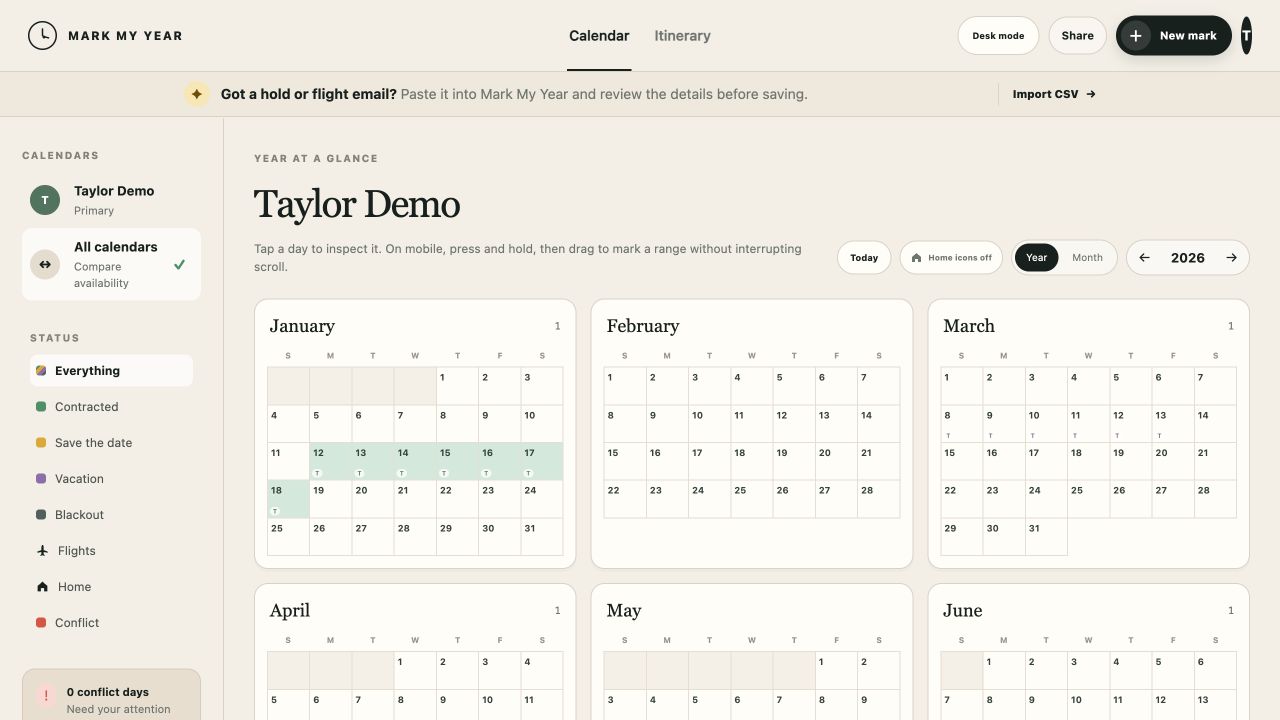
Save-the-dates, contracted work, travel, personal time, and open days stay readable across the entire year. Conflicts show the marks involved—not just a warning color.
Year and month views
Click or drag to mark dates
Independent calendar comparison
02 · TRAVEL BELONGS TO THE PROJECT
Arrival, stay, and departure—kept in order.
Flights and hotels sit with the work they support. See what comes next, the time between projects, and when you will actually be home.
Forward or paste a project or itinerary email. The original stays attached while the important details are organized for your review. Nothing changes the calendar until you approve it.
Original email preserved
Staff dates prioritized
Explicit approval before saving
FORWARDED MESSAGESave the date request
We would like to check your availability for the Annual Program, September 9–16.
Original message preserved
REVIEW AS A MARKDraft
04 · AVAILABILITY WITH CONTEXT
Compare calendars without combining them.
Share the exact level of visibility a partner, colleague, or viewer needs. Every person keeps an independent calendar, even when a project or flight is shared.
Permission presets
Side-by-side date comparison
Financials always stay private
Compare availabilityJune 12–18
12131415161718
Taylor
Partner
Each calendar stays independent. Shared visibility never merges ownership or private records.
05 · THE RECORD AFTER THE WORK
Keep the business trail with the project.
Contracts, receipts, invoices, expenses, and proof of payment stay connected to the mark. Year-end views surface gaps while there is still time to fix them.
Projected and received income
Document readiness
Accountant-friendly year records
PROJECTEDTracked by yearOUTSTANDING2 programsMISSING RATES1 program